.avif)
Never Wonder Which Phone Numbers Are Live Again
If you're managing contact data in HubSpot, you know the frustration: which phone numbers in your database are actually active?
Which contacts can your sales team confidently call right now?
Clean Dial's latest update solves this with the HLR Status contact property, which automatically tracks real-time network connectivity for every contact.
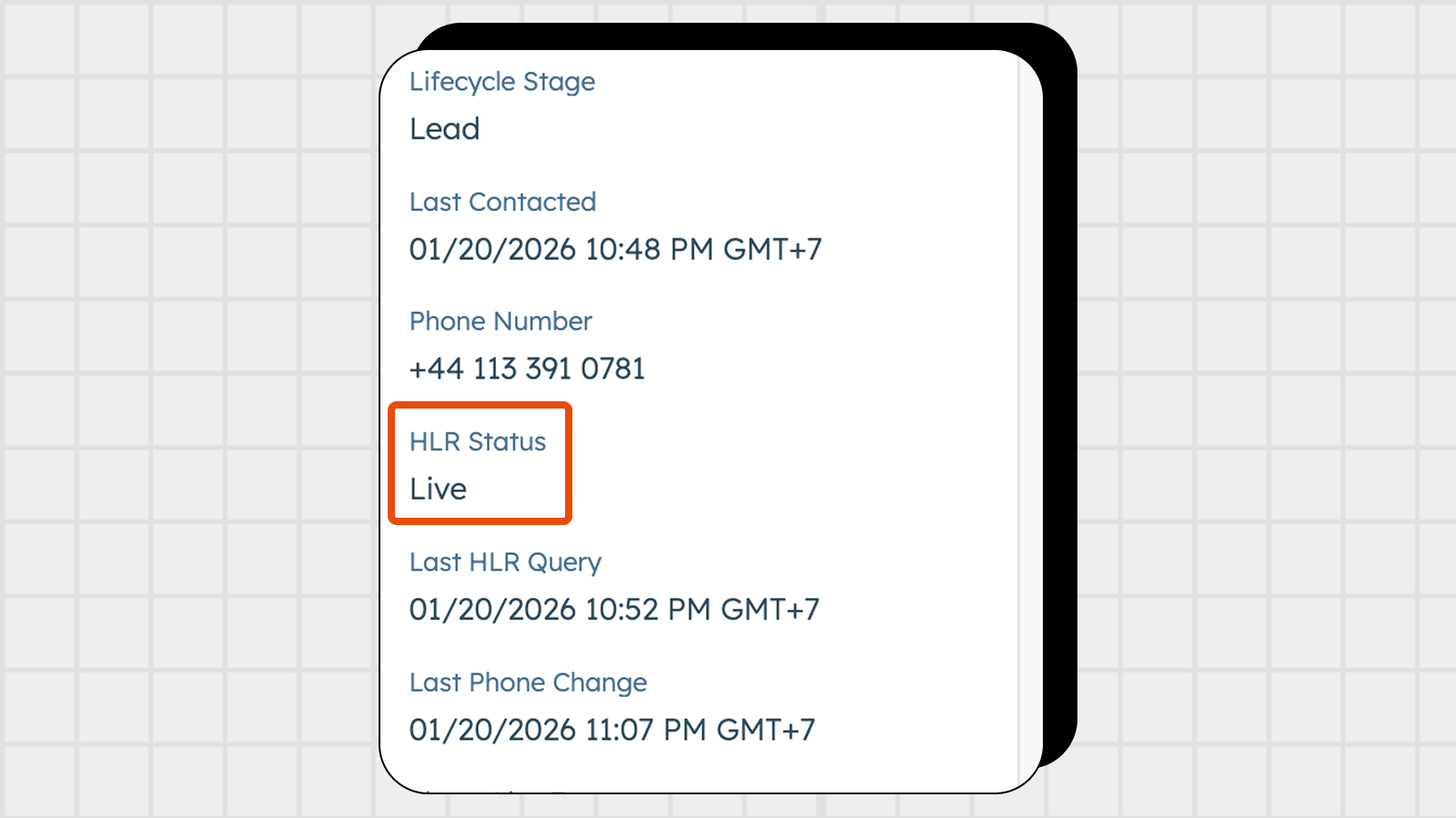
When you perform an HLR Lookup with Clean Dial, the app automatically updates a custom dropdown property called HLR Status on the contact record. You get direct visibility into mobile connectivity, identifying if a line is:
This property works alongside the Last HLR Query timestamp, letting you monitor the freshness of your network data and track exactly when a number was last verified.
The HLR Status property is created automatically when you install Clean Dial. Every time you run an HLR Lookup through a workflow, Clean Dial updates the status, line type, and timestamp.
There's nothing to configure. You can find the property in the "Clean Dial Properties" group on your contact records, right alongside properties like Phone Line Type and Phone Carrier. Plus, because the update happens in the background, it has zero impact on your workflow speed :)
Scenario 1: Qualify Leads Before Assignment
Build a workflow that performs an HLR Lookup on new leads, then only assigns contacts with HLR Status = Live to your sales reps.
Scenario 2: Automated Database Hygiene
Create a list of contacts where HLR Status = Dead and automatically route them to a data enrichment process or remove them from active sequences.
Scenario 3: Identify Line Types
Use the Phone Line Type property to instantly segment your contacts into Mobile, Landline, or VoIP to ensure you are routing your outreach correctly.
Scenario 4: Track Data Decay
Build a report using the Last HLR Query to identify old records that need a fresh network check to keep your outreach lists fresh.
Clean Dial is designed to work natively within HubSpot workflows. You don't need technical knowledge or custom code. Just add the HLR Lookup action to any contact workflow, and Clean Dial handles the rest, including updating carrier info and ported status.
With Clean Dial's tiered pricing starting with a Free Tier for unlimited formatting and 10 free HLR credits for every new install, you can test live network connectivity on your database today.
Stop guessing which phone numbers are active! You can Install Clean Dial here and start tracking HLR network success automatically.


.png)
.svg)
.avif)


