
All Rights Reserved
Daeda Technologies
AI Ops
Integration Patterns
Create HubSpot Workflows with AI: Why MCP Beats HubSpot's Native AI Builder
Daeda MCP Pro now has workflow creation built in. And honestly, it is better than HubSpot’s own AI workflow builder.
Here is why.
1. You Never Leave Claude
This is where all work is heading. You open your AI assistant, describe what you need, refine the details, and execute. No context-switching between tabs, no hunting through HubSpot menus, no remembering which settings page has the option you need.
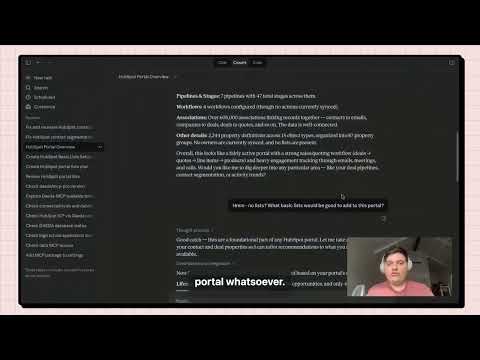
With Daeda MCP Pro, workflow creation happens inside the same conversation where you are already thinking about your system. The AI already has your portal context loaded — it knows your properties, your pipelines, your existing workflows. You describe what you need, and it builds it.
2. You Can Have a Conversation
HubSpot’s AI workflow builder is one-and-done. You type a prompt, it generates a workflow, and that is it. No corrections, no refinements, no “actually, the trigger should be different.”
With Daeda MCP Pro, the workflow design is a conversation. You start with a rough idea, Claude asks clarifying questions, you refine the logic together. If the first version is not quite right, you adjust it before anything touches your portal.
That iterative process is how good workflows are actually designed. Nobody gets the trigger conditions, branching logic, and action sequence right on the first try. Being able to talk it through with an AI that knows your portal is a fundamentally different experience from a one-shot prompt.
3. You Can Create Multiple Workflows at Once
In HubSpot’s interface, you build one workflow at a time. If your problem would be better solved by two or three workflows working together, you are on your own to figure out the split and build each one separately.
Daeda MCP Pro does not have that constraint. If the AI — or you — decide the solution is better as two separate workflows, it creates both. If it should be three with shared properties connecting them, it handles that too.
The tool works at the system level, not the single-workflow level.
4. You Can Design Entire Systems
This is where it gets powerful.
Daeda MCP Pro does not just create workflows. It creates properties, custom objects, pipelines, lists, and more. So when you describe a problem like “I need a renewal tracking system,” Claude can design the complete solution:
- The properties to track renewal dates and status
- The pipeline stages for renewal progression
- The workflows that move records through the stages
- The lists that segment accounts by renewal timing
All from a single conversation. All reviewed in Plan Mode before anything executes.
The Core Difference
HubSpot’s AI builder is a shortcut for creating individual workflows. That is useful, but limited.
Daeda MCP Pro is a system design tool that happens to include workflow creation. It sees your entire portal, understands the relationships between objects, and builds connected solutions — not isolated automations.
Getting Access
If you are spending a lot of time building systems in HubSpot and want to move past the one-workflow-at-a-time model, try Daeda AI.
The free version of Daeda MCP — read-only portal access for AI-powered analysis — is available now: npmjs.com/package/daeda-mcp

