.avif)
Track which contact phone numbers are valid with automatic boolean validation status
Clean Dial's Phone Validated property automatically tracks the validation status of each contact's phone number in your HubSpot workflows. This boolean (true/false) property gives you instant visibility into which contacts have reachable phone numbers, enabling smarter routing decisions and more effective sales processes.
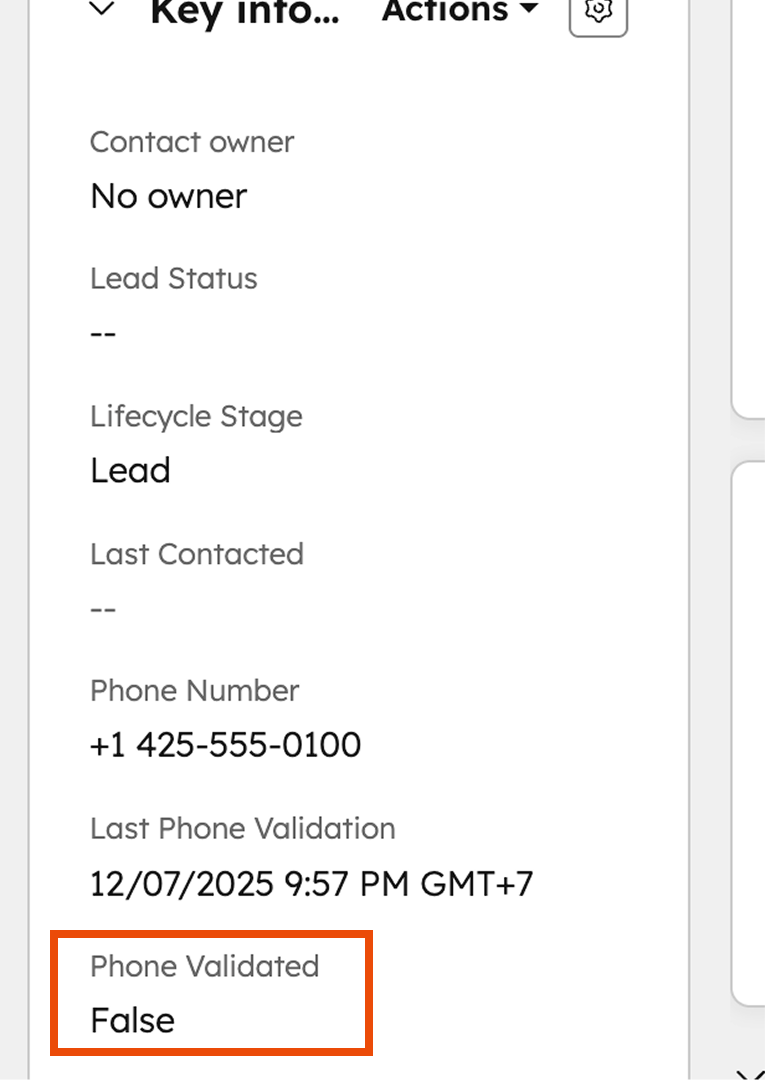
When contacts pass through a Clean Dial validation workflow action, the system automatically:
true or false on the contact recordThis happens seamlessly in the background - no additional setup required in your workflows.
To view validation status on your contact records:
Workflow Efficiency
Data Quality Management
Sales Team Productivity
Smart Lead Routing - create workflows that only assign leads with valid phone numbers to your sales team.
Calling List Creation - filter contact views to build calling lists containing only reachable numbers.
Lead Source Analysis - compare phone number quality across different marketing channels and lead sources.
Data Hygiene Workflows - set up automated processes to flag or remove contacts with invalid phone numbers.
phone_validated
Q: What happens if a phone number fails validation?
A: The property is set to false, indicating the number is not reachable.
Q: Can I use this property in HubSpot workflows?
A: Yes, you can filter and trigger workflows based on the Phone Validated property value.
Q: Does this work with bulk validation operations?
A: Yes, the property updates for both individual workflow validations and bulk operations.
Q: Can I see historical data for contacts validated before this feature?
A: The property only applies to validations performed after feature activation on your account.