.avif)
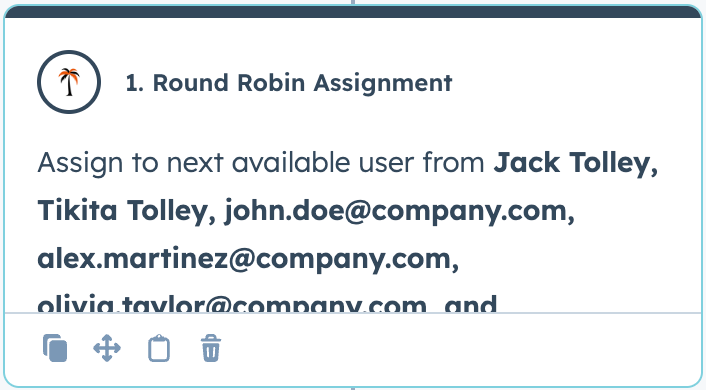
The “Round Robin Assignment” action is our context-aware round robin action.
As an overview:
It is different from the “Rotate Owner” action in the following points:
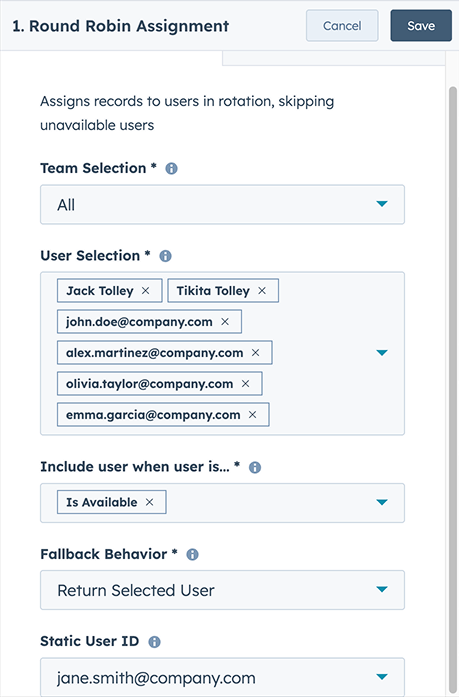
In order of appearance:
Team Selection - this allows you to filter down the users you’d like to see to a certain team (or select “All” to see everyone)
User Selection - Select the users you’d like to see in the rotation. The order you select the users in will become the order of the rotation.
Include user when user is… - The criteria that determine whether the user is returned or skipped in the rotation. These criteria are:
If multiple conditions are selected, the user will be returned if they fulfill any single condition.
So if I wanted to “Rotate Owner” to users that are either online or should be working - I would select both “Is available” and “Is in working hours”.
(Note: This means if you select “Is available” and “Is NOT available”, every user will be included in the rotation).
Fallback behavior - The fallback action is invoked if no users are available. The app will trigger the fallback action if it checks all the users and none fulfill the above condition.
The options are:
Static User Id (optional) - The User that is returned if the “Return Selected User” fallback is executed.
The availability checks use information built into HubSpot. You can access this information by:
There you will find the three attributes we look at.
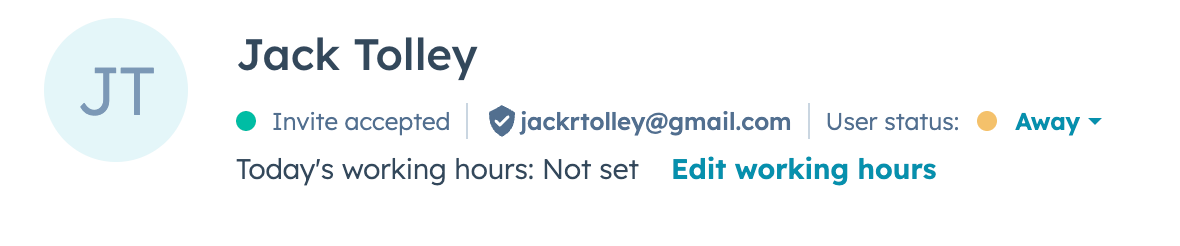
At the top of the page - you can see “User Status”. This has the options “Available” and “Away”. This can be managed on this page, or in the conversations inbox.
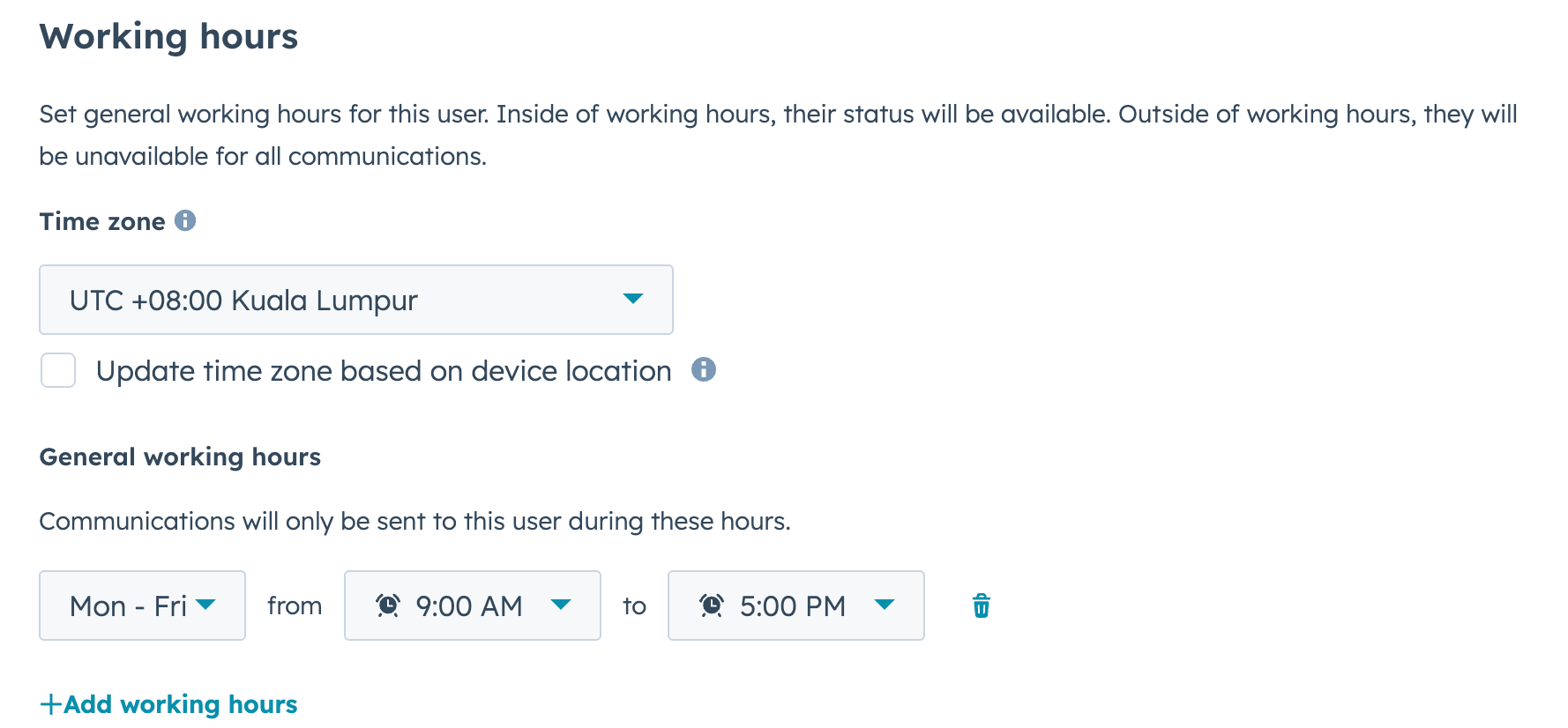
Under that you will see working hours - these can be set once and used repeatedly.
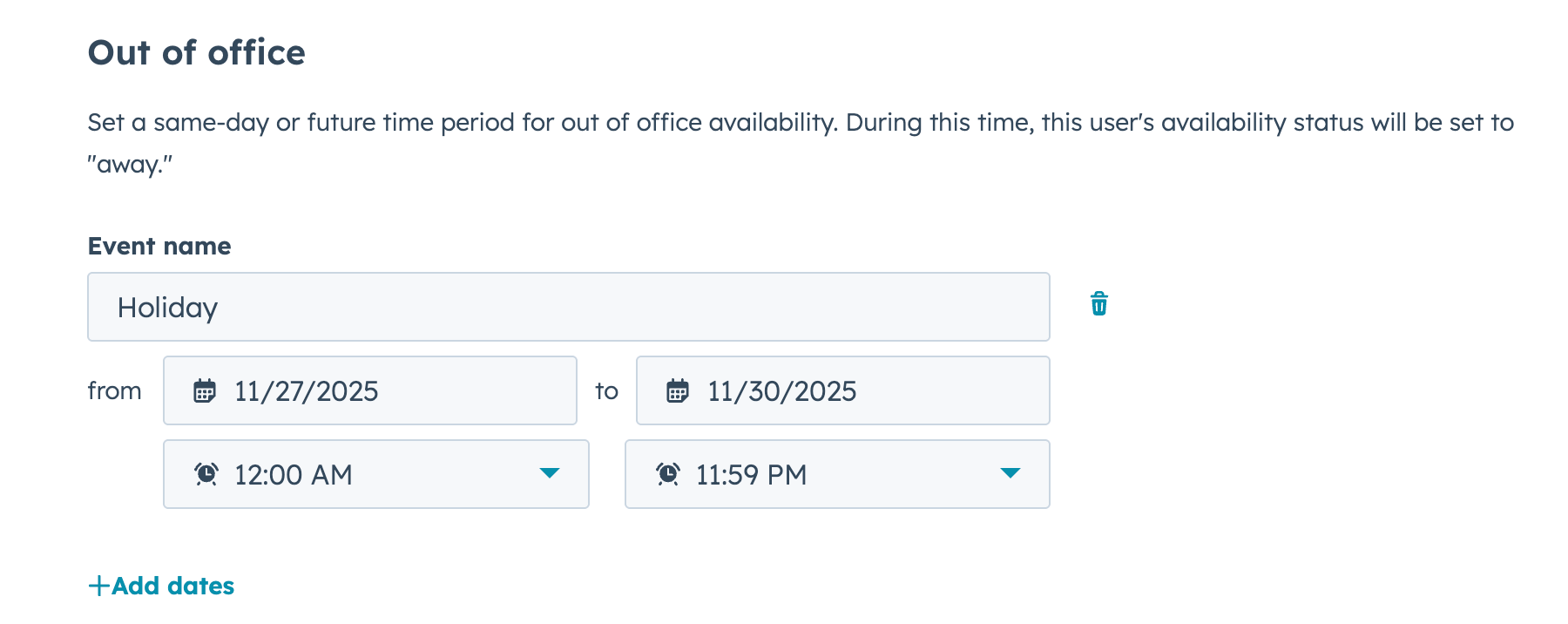
Under that you will see “Out of office” - this is where users can add their holidays and vacations.
Each of these three sections corresponds to two options (both is and is Not options) in the settings of each action.
To commit a user-id onto a record, you need to use the “Action Output” provided by the workflow action.
For example, if I want a “Rotate Owner” like experience - I can set up the following workflow.
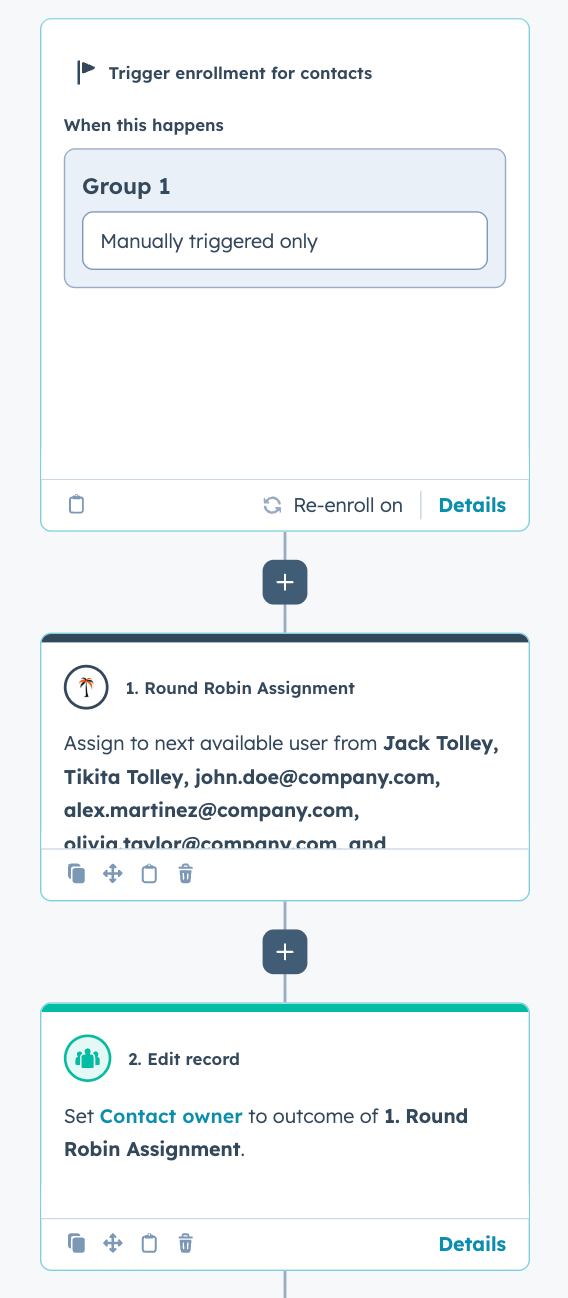
The “Edit Record” action will set the Contact Owner using the action output from the Round Robin Action.
To add the Action Output to “Edit Record” - Simply:
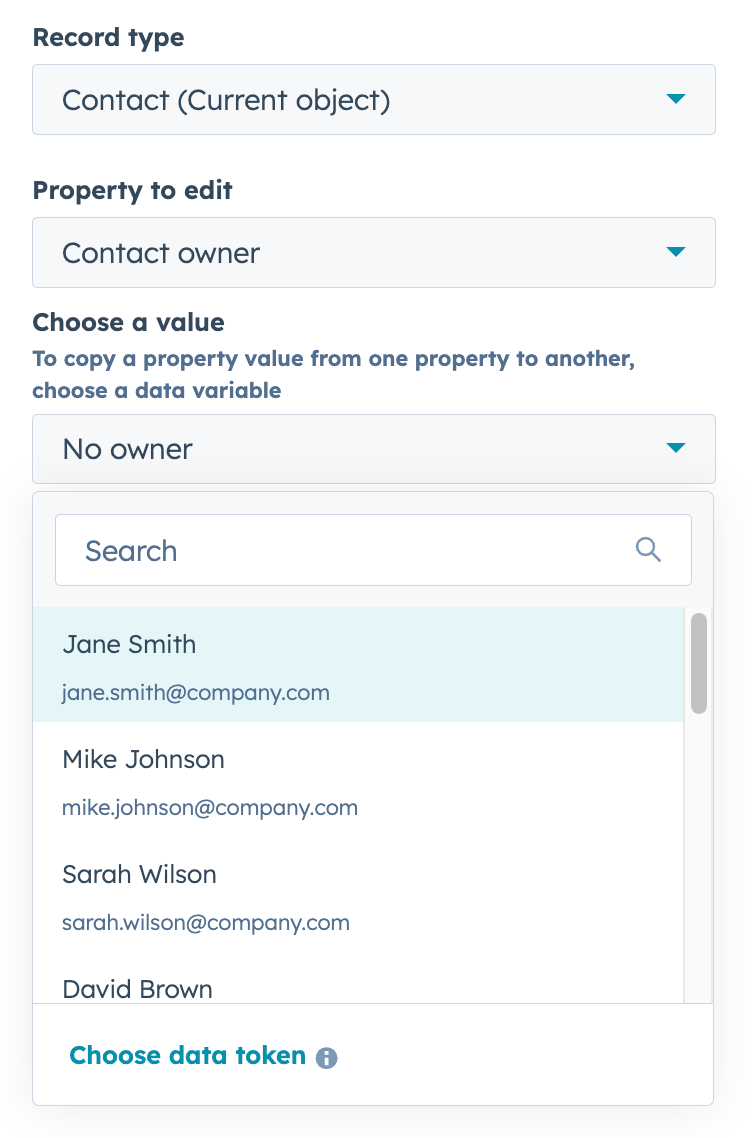
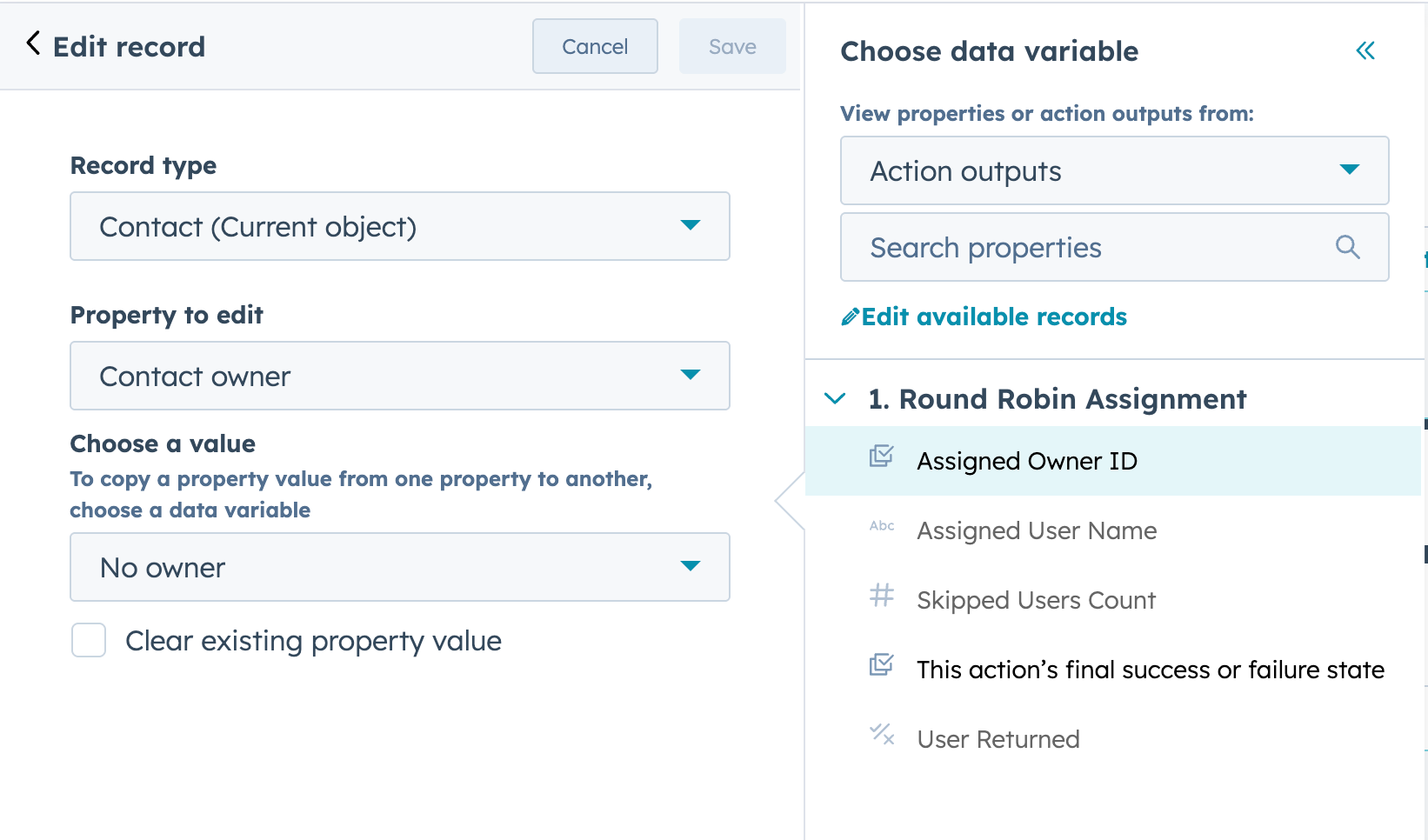
Now, when you run the workflow - the Round Robin action will return the userId for the next User and the “Edit Record” action will save it to the user.
In order to provide maximum utility across all workflow types, while minimizing the number of permissions requested - we’ve designed the action to provide an action output that you can use in a different action (Like edit record).
This allows us to avoid requesting read/write permission to every different object type in your application (which I’m sure you can imagine is reassuring).
It also allows you greater flexibility in using the action output in many different types of subsequent workflow actions.